

Overview
The DoglyTdc Pay API uses API keys with aclient_id and client_secret. There is no token exchange: you send both parts with every request, always over HTTPS.
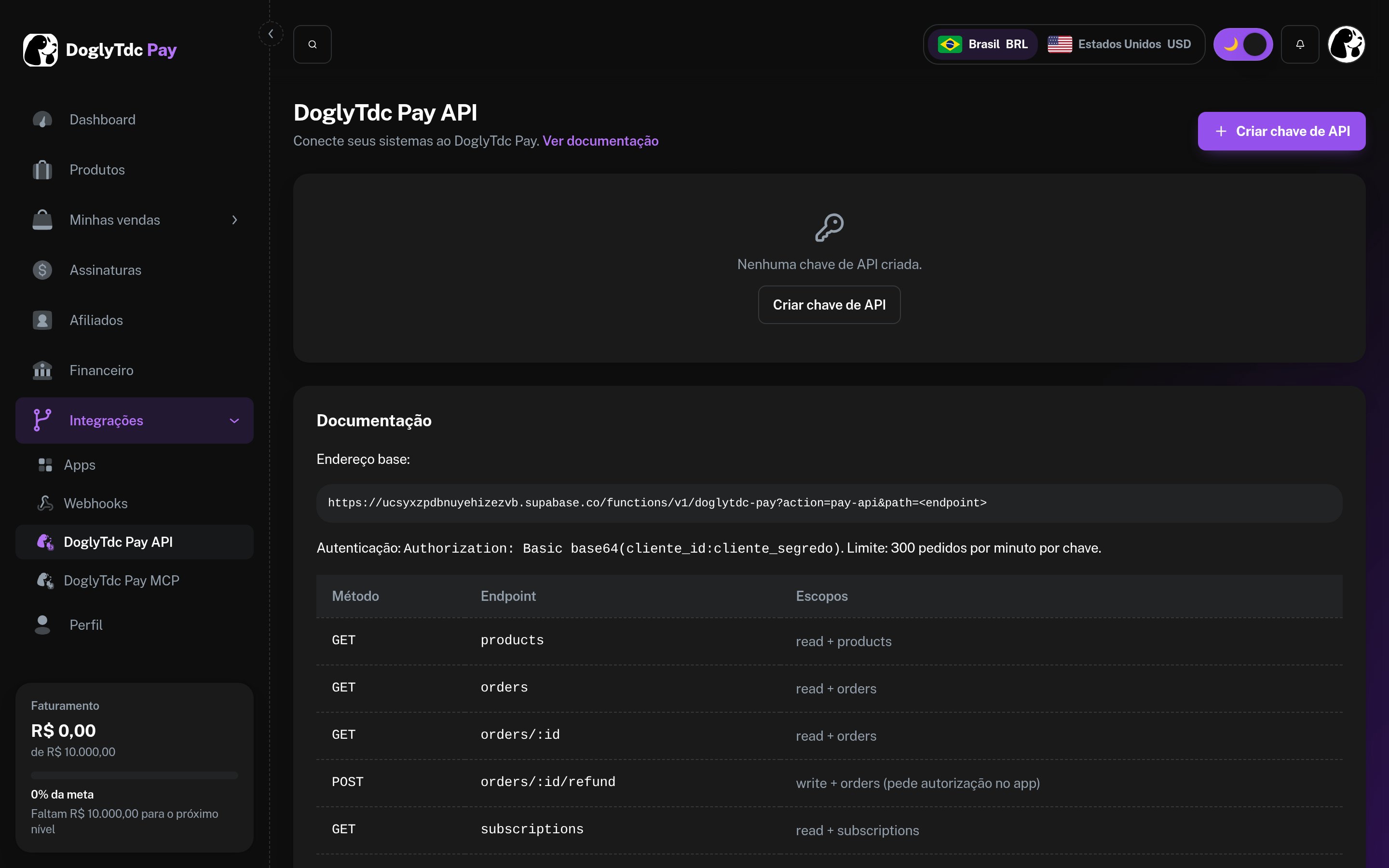
API keys in DoglyTdc Pay
Authentication flow
1 - Creating the API key
1
Open DoglyTdc Pay
Go to DoglyTdc Pay › Integrations › DoglyTdc Pay API.
2
Create the key
Provide a name (e.g., “My store”) and select the scopes.
3
Copy the secret
The
client_secret is displayed only once. Store it in a secrets manager.2 - Sending credentials
Three accepted formats (use one):3 - Access scopes
Each endpoint requires all scopes listed for it. Read operations requireread + the resource; write operations require write + the resource.
Without the required scope, the response is
403 insufficient_scope indicating which scopes are missing.
Security
- Use the key only on the server. Never expose it in the browser, mobile app, or code repository.
- One key per integration, with the minimum required scopes.
- Immediately revoke any exposed key under Integrations › DoglyTdc Pay API.
- Refunds and payment links always require your approval within DoglyTdc Pay.